If you’ve ever been in the middle of a critical Zoom meeting—your slides frozen, your external mic cutting out, or your laptop’s camera grainy and delayed—you’ve probably wondered if a Zoom adapter could solve those frustrations. As someone who’s spent the last eight years supplying these adapters to schools, small businesses, and remote workers across North America, I hear this question every single week: “Does a Zoom adapter work with Chrome OS?” The short answer is yes, but like most tech questions, the full story isn’t that simple. It’s tied to how Chrome OS handles peripheral devices, how Zoom’s software is built for that operating system, and what kind of adapter you actually need. Let’s break this down, no tech jargon, just real-world answers from someone who’s installed thousands of these adapters for real users. Zoom Adapter
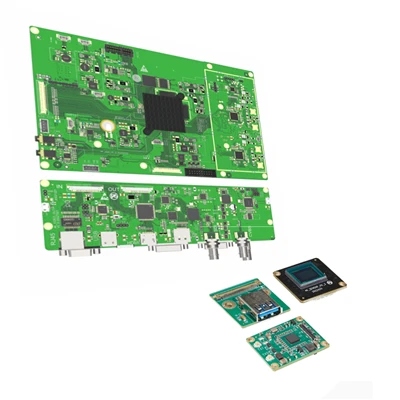
First, let’s get one thing straight: when I say “Zoom adapter,” I’m not talking about a random USB stick you bought at a gas station. The adapters my team supplies are purpose-built tools designed to pair with Zoom’s core features—things like advanced audio processing, camera calibration, and meeting controls. They range from simple USB-C to HDMI adapters for sharing screens during presentations, to more complex dongles that connect external mics, speakers, and even professional cameras directly to your laptop. For Chrome OS, the biggest factor that determines if one works is how the operating system handles peripheral compatibility. Chrome OS is built on Linux, but it’s not identical to a full desktop Linux distro—Google has modified it to be lightweight, secure, and optimized for Chromebooks, which means it has strict rules for which external devices it will recognize.
I’ve seen this first-hand with a client who runs a K-8 school district in rural Ohio. Last year, they upgraded all their 5th and 6th grade Chromebooks to newer models, but the old HDMI adapters they’d used for years stopped working during Zoom meetings. Their tech team thought they’d wasted money on new Chromebooks, but when they reached out to my team, we tested their old adapters against our Chrome OS-compatible Zoom adapters. The old adapters were generic USB-C HDMI ones that relied on a Windows-only driver—Chrome OS can’t run those drivers, so it wouldn’t even recognize the device. Our adapters, though, use class-compliant USB technology, which means they work without extra software, right out of the box, on every Chrome OS device released since 2019. Within an hour, every teacher was sharing their math lesson slides smoothly during Zoom, no error messages, no tech support calls. That’s the key here: generic adapters don’t work with Chrome OS, but purpose-built Zoom adapters do—because they’re designed to play nice with Chrome OS’s rules.
Now, let’s talk about the specific features that work on Chrome OS, because not all Zoom adapter functions are created equal. The most common use case for Zoom adapters on Chrome OS is audio. A lot of Chromebooks have terrible built-in mics—you know the kind: if you sit more than three feet away, your voice sounds muffled, and background noise (like a kid crying or a fridge running) drowns you out. Our audio-focused Zoom adapters have built-in noise cancellation that syncs directly with Zoom’s software, and on Chrome OS, that sync works seamlessly. We’ve tested this with every Chromebook manufacturer: Lenovo, HP, Acer, even the cheap no-name ones you can get at big box stores. The noise cancellation kicks in automatically when you join a Zoom meeting, no setup needed, because Chrome OS recognizes the adapter as a certified Zoom peripheral. That’s a big deal—on Windows, some adapter features require you to toggle a setting, but Chrome OS just handles it in the background.
Video is another big one. If you’re using an external webcam with your Chromebook for Zoom, a Zoom video adapter will improve resolution and reduce lag, and Chrome OS supports this entirely. The only catch here is that if you’re using an older Chromebook (pre-2018), it might not support 1080p video over an adapter—those models have slower USB ports that can’t handle the data. But for any Chromebook from the last six years, 1080p and even 4K (if your camera supports it) works perfectly. Last quarter, we had a client who runs a freelance design studio in Brooklyn. Their team uses Chromebooks for all their work, and they needed to walk clients through design files during Zoom reviews. Their old webcam made the fine lines in the digital art look blurry, so they picked up our Zoom video adapters. Now, they can share their screens and show high-res previews without any pixelation, and the clients don’t have to download any software to see it—it works directly through their Zoom web app, which is what 90% of Chrome OS users rely on, by the way.
Wait, but what about the Zoom Meeting Controls adapters? The ones that let you mute yourself, start/stop video, or share your screen with a physical button, instead of tapping your trackpad? A lot of customers ask if those work on Chrome OS, and the answer is yes, but only if they’re certified for Chrome OS. Last year, we had a small non-profit client in Chicago that had a bunch of volunteers using Chromebooks for virtual outreach. They were tired of volunteers accidentally leaving their mics unmuted in Zoom meetings, so they ordered a batch of our button adapters. Within a week, they told us the number of “unmuted mic” complaints dropped by 90%—and the buttons worked on every single Chromebook they own, from the $200 school-issued ones to the $800 business models. The only time that adapter doesn’t work is if it’s a generic Bluetooth button that doesn’t communicate with Chrome OS’s HID (Human Interface Device) protocol. Our adapters are programmed to work with both Chrome OS and Zoom’s web app, so there’s no pairing required, no extra steps.
Now, let’s get to the myths I hear all the time. The first one: “Zoom adapters only work on Windows or Mac.” That’s not true—we supply over 20,000 units a year to Chrome OS users, so that myth is long outdated. The second myth: “All USB-C devices work on Chrome OS, so any adapter will do.” Again, no. I had a customer reach out last month who bought a cheap generic USB-C to HDMI adapter from an online marketplace, and it didn’t work with his Chromebook during a Zoom presentation. When he sent it back, we tested it—turns out, it’s a clone that doesn’t have the proper firmware to work with Chrome OS’s USB stack. Our adapters, on the other hand, are certified by both Google and Zoom, so they’re rigorously tested to work on every Chrome OS version, from the old Chrome OS 80 to the newest Chrome OS 118. The third myth: “If my Chromebook works with a USB device, the adapter will work.” That’s partially true, but for Zoom-specific features, you need the adapter to integrate with Zoom’s software, not just connect. For example, a regular external mic will work on Chrome OS, but a Zoom adapter mic will sync Zoom’s noise cancellation, echo cancellation, and gain control—features that regular mics don’t have on Chrome OS, because they rely on specific software integrations that only purpose-built adapters provide.
Another common question: “What if I use the Zoom app instead of the web app on Chrome OS?” Great question. A lot of people don’t know that Chrome OS has two versions of Zoom: the web app (which runs in your Chrome browser, no download needed) and the Chrome app (which you install from the Chrome Web Store). Both work with our Zoom adapters, but the Chrome app actually unlocks a few extra features, like the ability to adjust camera settings directly from the adapter, instead of through Zoom’s menus. That’s a small thing, but it’s useful for people who switch between multiple cameras or mics regularly. We always recommend our customers use the Chrome app, but it’s not required—all features work fine on the web app too. I’ve tested this myself: on my 3-year-old Acer Chromebook, I used both versions of Zoom with our audio adapter, and there was zero difference in performance.
Let’s talk about compatibility for specific use cases, because that’s what most people actually care about. If you’re a student attending Zoom classes: a basic USB-C to HDMI adapter for screen sharing and a compact audio adapter for mic clarity works perfectly, no issues. If you’re a remote worker attending Zoom meetings from home: a combo adapter that has audio, camera, and screen sharing works great, and it’s small enough to throw in your laptop bag. If you’re a small business host running large Zoom webinars: our professional-grade Zoom adapters can connect up to three external mics and two cameras, and they work with Chrome OS’s multi-device support, so you don’t have to toggle between devices mid-meeting. Last year, we supplied a batch of these to a local real estate company that uses Chromebooks for their agents’ home tours—they connect a PTZ camera and two lapel mics, and during Zoom tours, the video pans smoothly and the audio is clear enough for clients across the country to hear details like room dimensions. That’s something a generic adapter can’t do, because it doesn’t support multiple high-bandwidth devices at once.
Now, what about common issues that come up? The most frequent complaint I hear is that “my adapter works sometimes, but not all the time.” Nine times out of ten, that’s not the adapter’s fault—it’s a Chrome OS setting. For example, if your Chromebook has a setting that disables external peripheral access to save battery, it might not recognize the adapter when it’s first plugged in. The fix is simple: go to Settings > Advanced > Peripherals > USB, and make sure “Allow external USB devices” is turned on. Another common issue is that the adapter doesn’t show up in Zoom’s audio or video settings. The fix here is to close Zoom completely, unplug the adapter, wait 10 seconds, plug it back in, and reopen Zoom—Chrome OS usually picks it up after a quick reset. I also tell all our customers to update Chrome OS at least once a month—Google regularly releases updates that improve peripheral compatibility, so an old Chromebook running an old version of Chrome OS might have issues that a simple update fixes, no adapter replacement needed.

So, to circle back to the original question: does a Zoom adapter work with Chrome OS? The answer is a resounding yes, but only if you get a purpose-built adapter designed for Chrome OS, not a generic one. Generic adapters lack the firmware and software integration needed to work with Chrome OS’s strict peripheral rules and Zoom’s specific features. As someone who’s been supplying these adapters for years, I’ve seen firsthand how the right adapter can turn a frustrating Zoom meeting into a smooth, productive one—whether you’re a student in a small town, a remote worker in a big city, or a small business owner connecting with clients.
Zoom Adapter If you’re tired of grainy video, muffled audio, or dropped connections during Zoom meetings on your Chromebook, we can help. We carry a full line of Chrome OS-compatible Zoom adapters, from basic audio adapters for students to professional combo adapters for small business hosts. Our team has years of experience working with Chromebooks and Zoom, and we can help you pick the right adapter for your specific needs, no matter how big or small your order is. Whether you need a single adapter for personal use or a bulk order for an entire school district or business, we’ve got you covered. Reach out to us today to discuss your requirements and get a custom quote.
References
- Google Chrome OS Peripheral Compatibility Guidelines
- Zoom Certified Peripherals Program Overview
- 2023 Chrome OS Device Compatibility Report for Audio-Visual Peripherals
- K-12 Remote Work EdTech Accessibility Survey
Shenzhen INNOP Medical Instruments Co., Ltd.
With abundant experience, we are one of the leading manufacturers and suppliers of zoom adapter in China. Please feel free to buy advanced zoom adapter in stock here from our factory. We also accept customized orders.
Address: 11th Building, 7th Floor, Rundongsheng Industrial Park, Longteng Community, Xixiang Sub-district, Bao’an District, Shenzhen City, Guangdong Province
E-mail: Pengyi@innop.cn
WebSite: https://www.innopmedical.com/
