If you’ve ever stopped at a coffee shop to use a touch screen menu, stood at a mall directory to find a store, or navigated a museum exhibit with an interactive display, you’ve probably wondered: how much does an interactive touch screen actually cost? As someone who’s been selling and supporting these screens for over a decade, I can tell you the answer isn’t a straight number – it’s shaped by what you need, how you’ll use it, and even where you’ll put it. I’ve worked with everyone from small local cafes looking for a single menu screen to large retail chains ordering 50+ for in-store wayfinding, and I’ve seen firsthand how picking the wrong screen can blow a budget or leave your team dealing with constant headaches. Let’s break down what goes into pricing, so you don’t end up paying for features you’ll never use or skipping ones that will make your screen useless. Interactive Touch Screen
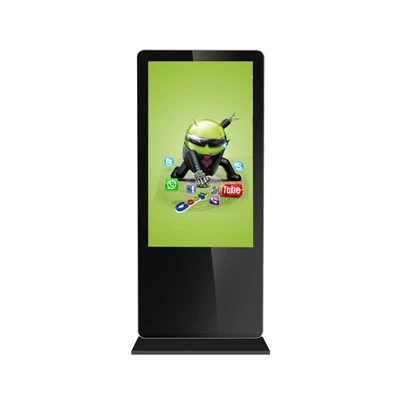
First, let’s start with the basics: not all interactive touch screens are the same, and the biggest variable here is display size. I’ve seen screens as small as 10 inches (perfect for a retail checkout add-on or a hotel front desk key card station) go for less than $300, and 98-inch screens built for large event venues or auditoriums can run $10,000 or more. But size alone isn’t enough. A 10-inch touch screen for a kids’ museum needs to be durable, scratch-resistant, and bright enough for little hands pressing it, while the same size for a doctor’s office patient check-in can be a lower-cost unit that doesn’t need as much heavy-duty protection. Most of the clients I work with land somewhere in the middle: 22-inch to 55-inch screens. A 32-inch touch screen, for example, is a sweet spot for most small businesses – it’s big enough to be visible at a counter or a kiosk, but not so large that it takes up too much space. The average price for a mid-sized 32-inch interactive touch screen with basic features (no special add-ons) is between $800 and $1,500. But that’s just the base price, and there’s a long list of other factors that drive cost up or down.
Next, touch technology. This is one area where I see clients get confused all the time, and it’s a difference that makes a huge impact on both upfront cost and long-term use. The two most common types of touch screens we sell are capacitive and infrared (IR) touch. Capacitive touch is what’s on your smartphone or most tablets – it works by detecting the electrical charge in your finger, so it’s smooth, responsive, and works with small, precise taps. But here’s the catch: capacitive touch doesn’t work with gloves, styluses that aren’t specially designed, or wet hands. For a coffee shop menu where customers might press it while holding a latte, or a warehouse kiosk where a worker might have on gloves, capacitive is a bad call. It’s also more expensive upfront, usually adding $200 to $400 to a mid-sized screen’s base price. Infrared touch, on the other hand, uses a grid of invisible light beams across the screen; when you touch it, you block the beam, and the screen registers the tap. IR works with bare fingers, gloves, styluses, even gloved hands, and it’s much more durable – scratches don’t affect how it works, and it can take repeated, rough use from crowds of people. That’s why IR is the go-to for high-traffic areas like malls, theme parks, or grocery store checkouts. The downside? IR touch is slightly less precise than capacitive, so if you need small taps for things like form filling, it might not be the best fit. The good news is that IR touch is usually $100 to $200 cheaper than capacitive for the same screen size, which is why it’s our most popular pick for small to mid-sized businesses with high foot traffic.
Then there’s display quality and durability. Not all screens are built to last. A basic office display might have a brightness of 250 nits, which is fine for a dimly lit back office, but if you’re putting that screen in a retail window or a mall hallway with direct sunlight, 250 nits will be impossible to see. You need at least 500 nits of brightness for bright environments, and that adds about $150 to $300 to the cost. For outdoor use, we recommend 1,000+ nits, which can push a 55-inch screen over $3,000. Durability is another big one. If a screen is going to be in a public space where people might bump it, spill drinks on it, or intentionally scratch it, a basic plastic screen cover won’t cut it. We offer screens with tempered glass – same as phone screen protectors, but thicker – that are scratch-resistant and can take a bump without cracking. Tempered glass adds $100 to $250 to a mid-sized screen, but for high-traffic areas, it’s worth every penny. I had a client a few years back who installed a basic plastic-covered touch screen for their food truck menu; within three months, it was covered in scratches from customer keys and was barely legible. They ended up replacing it with a tempered glass IR touch screen, and it’s still working flawlessly four years later. That’s the difference between upfront cost and long-term value, something I always make sure clients understand before they buy.
Now, mounting and enclosure. A lot of first-time buyers forget that the screen itself is only part of the cost – you need to get it set up, and that adds more expenses. If you’re just putting the screen on a countertop, a simple counter stand might be included in the base price, but if you need to mount it on a wall, you’ll need a wall mount bracket, which can run $50 to $150 depending on the size. For freestanding kiosks that are meant to be moved around or placed in the middle of a store, a custom enclosure with locks to prevent theft is another $200 to $500. We also offer weatherproof enclosures for screens going outdoors, which can add $1,000 or more to the total cost. I had a recent client who was buying a screen for their farmers market booth; they tried using a basic wall mount bracket that cost $75, but the booth didn’t have a sturdy wall, so they ended up needing a free-standing kiosk base that cost $300, on top of the screen. Those are the hidden costs that catch people off guard, so I always walk clients through setup options before they finalize their order.
Software is another big one. The interactive touch screen is just the hardware – you need software to make it do what you want. If you’re using it for basic functions like a menu, a directory, or a digital sign, we can install free, open-source software that works with most screens, so that part doesn’t add any cost. But if you need something more custom, like a touchscreen ordering system with inventory tracking, a customer feedback tool, or a way to integrate with your existing point-of-sale system, that will cost extra. Basic custom software can run $500 to $2,000, and more complex systems can go up to $10,000 depending on what you need. I always tell clients to think about what they want the screen to do before they buy, because adding software later is usually more expensive than building it in from the start. I worked with a small bakery last year that bought a basic screen for $1,000 to use as a menu, but two months later they wanted to add a pre-order feature. Instead of paying to update the software, they ended up spending more than the original screen cost to build the custom pre-order system, because the basic software couldn’t be modified easily. That’s why taking a few minutes to plan out your needs upfront saves you money in the long run.
Maintenance and support, which is often overlooked, also plays a role in pricing. When you buy a touch screen from a supplier like mine, not only do you get the hardware, but you also get support if something goes wrong. We offer different warranty plans: a one-year standard warranty is included with most of our screens, but if you want extended support, like on-site repairs instead of having to ship the screen back, that will cost extra. A two-year extended warranty with on-site support for a 32-inch screen is about $150 to $250. For larger screens or high-volume orders, we also offer ongoing maintenance plans where we check the screen, update software, and fix small issues before they become big problems. A lot of clients think they’re saving money by buying a cheap screen from a no-name supplier, but when that screen breaks and they have to pay for repairs and shipping, they end up spending more than if they’d bought a quality screen with support from the start. I had a client who bought a touch screen for $600 from a supplier that didn’t offer support; when it stopped working after six months, they had to pay $300 to ship it back and $200 in repair fees, making their total cost $1,100 – more than if they’d bought a quality screen from us for $1,000 with a one-year warranty.
Now, let’s talk about real-world examples, to give you a sense of what you might actually pay. If you’re a small cafe wanting a basic touch screen menu for your counter: 32-inch IR touch, tempered glass, wall mount, and basic menu software. That comes out to roughly $1,200 to $1,800 total. If you’re a mid-sized retail store wanting a freestanding touch screen directory: 43-inch IR touch, tempered glass, locking kiosk enclosure, wall mount for use in the store, and basic directory software. That’s around $2,500 to $3,500. If you’re a museum ordering 20 interactive touch screens for exhibits: 55-inch capacitive (for small detail work), scratch-resistant glass, custom mounts for each exhibit, and custom interactive software for each display. That can run anywhere from $50,000 to $75,000 total, depending on the complexity of the software.
There are also ways to save money if you know where to look. First, don’t buy features you don’t need. If your screen is going to be indoors in a low-traffic area, you don’t need 1,000 nits of brightness or a locking enclosure. Second, buy in bulk if you need multiple screens. We offer volume discounts for orders of five or more, which can cut 10% to 20% off the per-screen price. Third, consider used or refurbished screens if you’re on a tight budget. We sell refurbished screens that have been tested and come with a 90-day warranty, which are about 30% cheaper than new screens and work just as well for many applications. But be careful here – not all refurbished screens are created equal; make sure the supplier offers a warranty and has tested the touch technology, because a bad touch screen is useless no matter how cheap it is.
The most important thing to remember is that the cheapest screen isn’t always the best deal. A $500 touch screen from a no-name supplier might seem like a great price, but if it breaks in six months and you have no support, you’re wasting money. At the end of the day, the cost of an interactive touch screen is an investment in how you connect with your customers or users. A good touch screen that works reliably will save you time, reduce frustration, and even boost sales – a bad one will become an expensive paperweight.

If you’re ready to figure out exactly what your interactive touch screen will cost, we’re here to help. We’ll walk you through your needs, show you options that fit your budget, and make sure you don’t pay for features you don’t need. Whether you’re a small business looking for one menu screen or a large organization needing dozens of displays, we can create a customized solution that works for you. To discuss your project and get a detailed, no-obligation quote, reach out to our team today.
Hologram Showcase References
- Interactive Screen Industry Report, Touch Tech Association, 2023.
- Cost-Benefit Analysis of Commercial Interactive Displays, Digital Signage Federation, 2022.
- Touch Technology Performance Standards, International Electrotechnical Commission, 2021.
Shanghai Vestouch Electronics Co., Ltd.
We are one of the most professional interactive touch screen manufacturers and suppliers in China, also support customized service. Please feel free to wholesale bulk advanced interactive touch screen in stock here from our factory. Welcome to contact us for quotation.
Address: Building 8, No.1098 Chuansha Road, Pudong New Area, Shanghai.
E-mail: yihong@vestouch.com
WebSite: https://www.cnvestouch.com/
